
Visual user guide

How to Use Bulgak Macro Terminal

Follow the market view from horizon selection to Bias, Pressure, Confidence, supporting evidence, and Ask Macro.

Start with a question

Use the Terminal in a Consistent Order

The terminal is a macro research workspace, not an entry signal. Begin with the timeframe that matches your question, then check whether the structural view and fresh evidence agree.
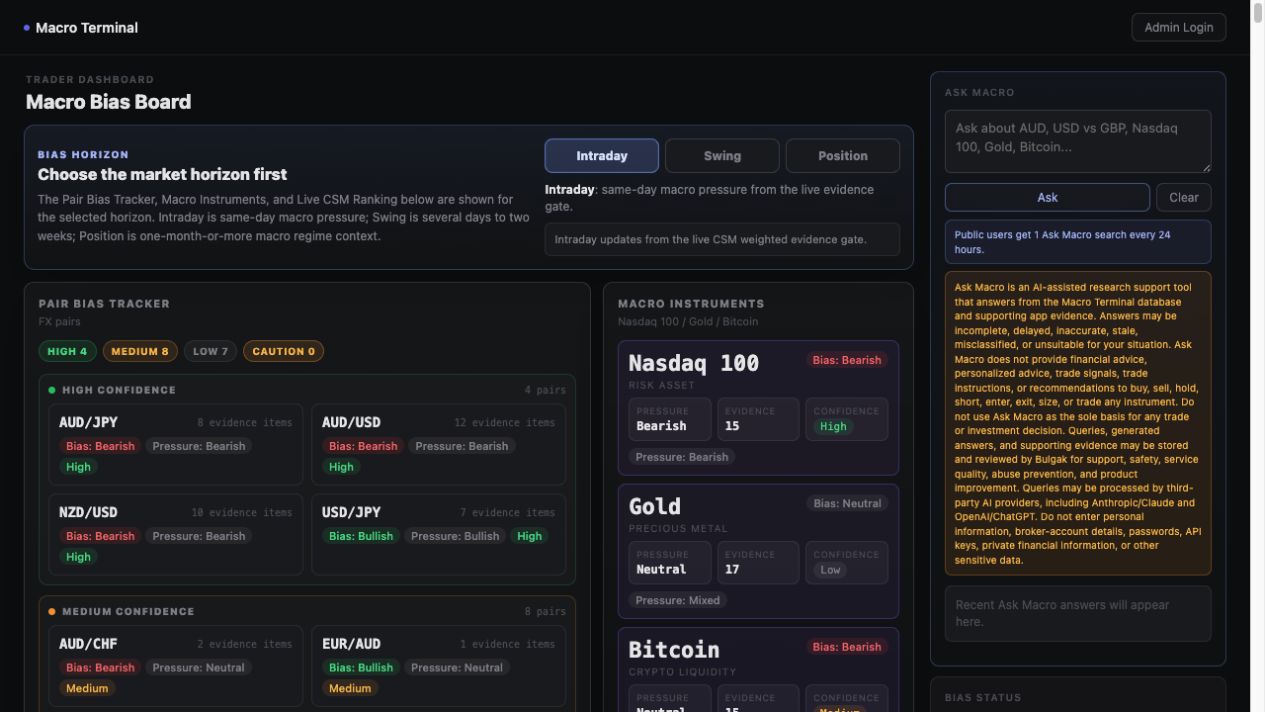
  1. Choose Intraday, Swing, or Position.
  2. Review the Pair Bias Tracker or Macro Instruments panel.
  3. Read Bias, Pressure, and Confidence together.
  4. Open the detail view and inspect Top Drivers.
  5. Use the CSM ranking, evidence feed, and Ask Macro for context.
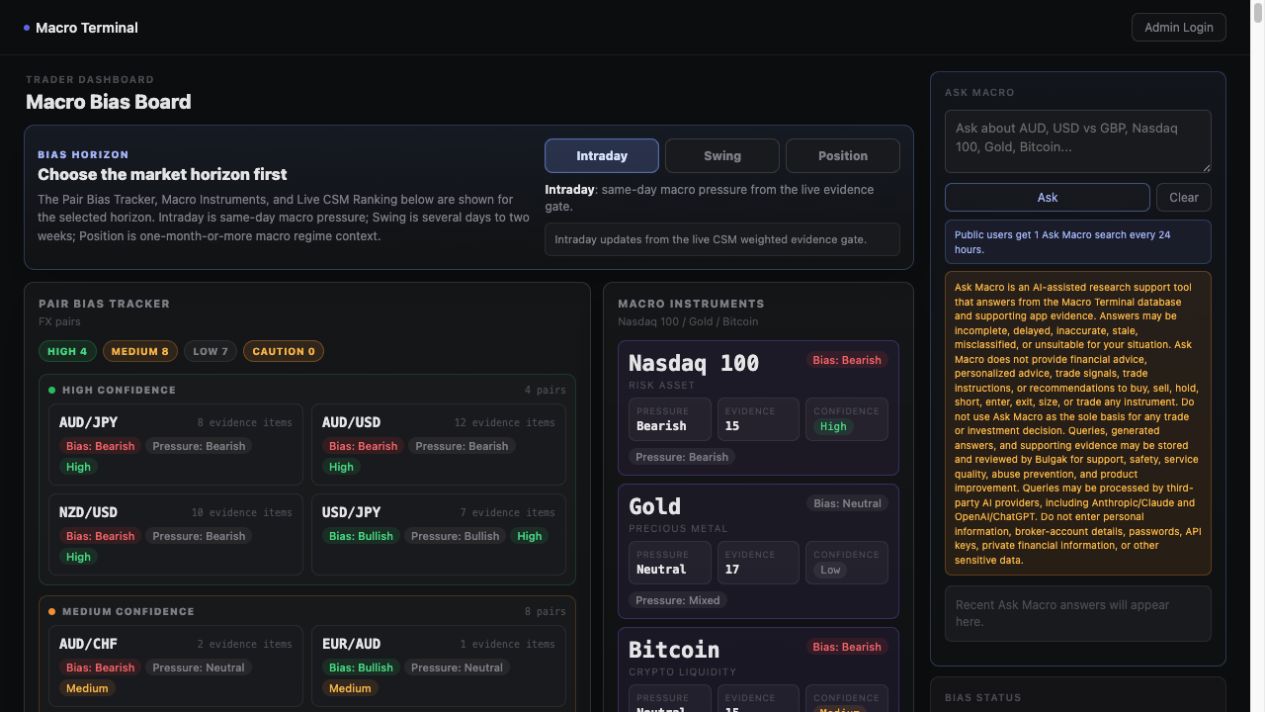
Public Bulgak Macro Terminal dashboard showing horizon controls, FX pair bias, macro instruments, and Ask Macro
Public app interface example. Market readings and supporting evidence change as new information arrives.

01 · Horizon

Choose the Horizon Before Reading the Bias

The same market can be bullish over one horizon and bearish over another. Select the horizon that matches the question you are researching:

Intraday
Same-day pressure from the newest qualifying evidence and current repricing.
Swing
Developments that may remain relevant for several days to approximately two weeks.
Position
Policy, growth, inflation, liquidity, and risk themes that may persist for one month or longer.

A bullish Intraday view does not automatically mean Swing or Position is bullish.
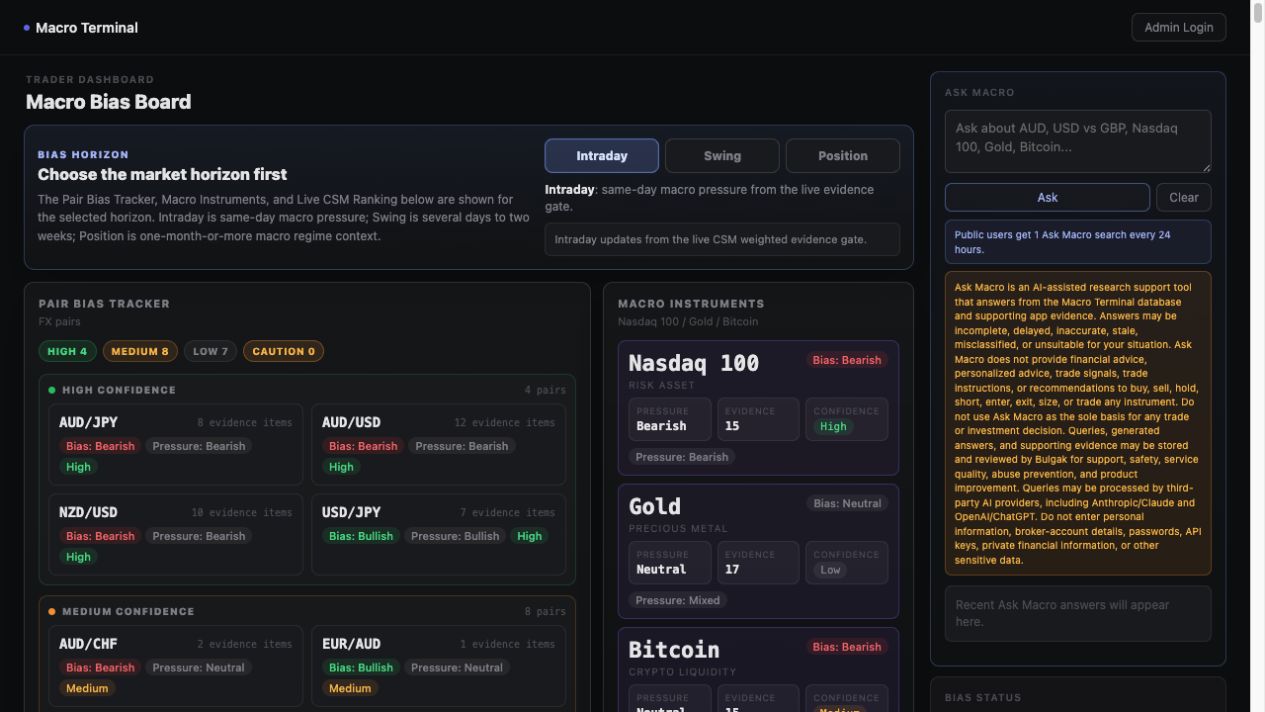
Bulgak Macro Terminal horizon selector with Intraday, Swing, and Position buttons
The selected horizon controls the Pair Bias Tracker, Macro Instruments, and CSM ranking displayed below it.

02 · Pair view

Read Bias, Pressure, and Confidence Together

Click an FX pair to open its detail view. Do not interpret any one badge by itself.

Bias

The broader directional macro view for the selected pair and horizon.

Pressure

What the freshest qualifying evidence is currently indicating.

Confidence

How strongly the structural view, fresh pressure, and evidence quality agree.

The expanded panel also shows evidence totals, the structural relationship, Fresh Pressure, Top Drivers, and Flip Watch. High Confidence is the cleanest alignment, not a guarantee of a profitable trade.
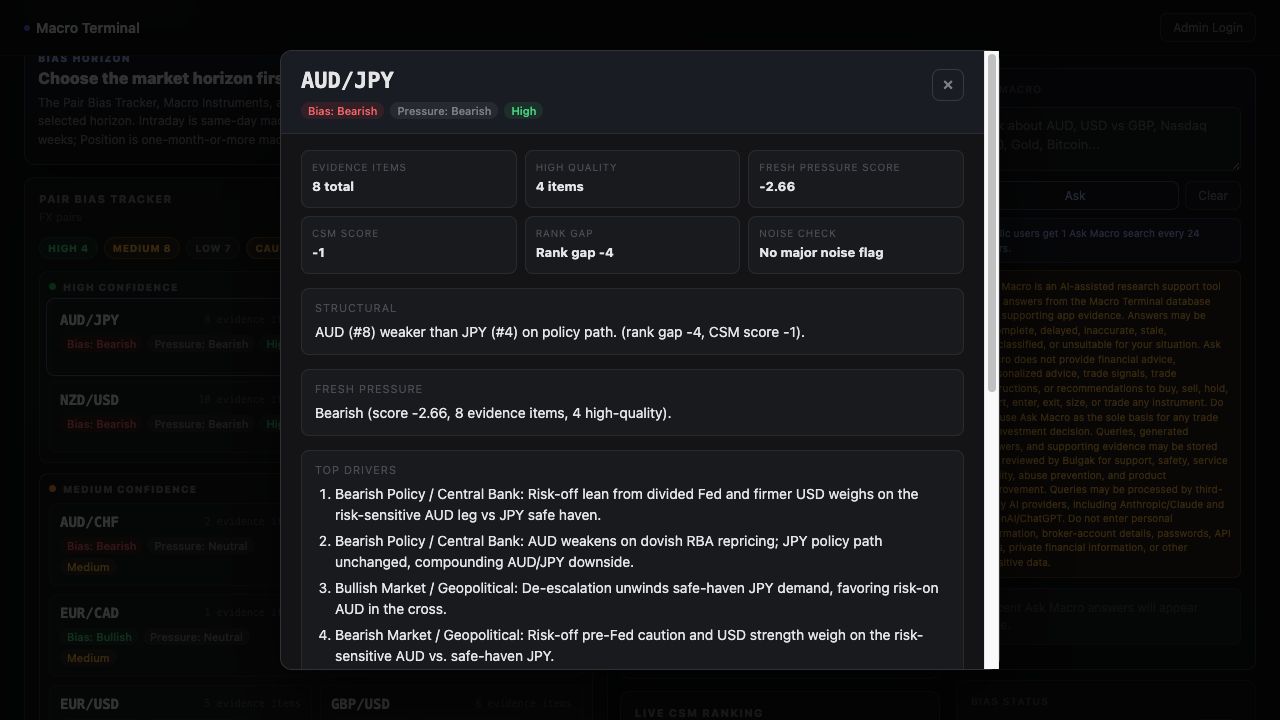
Expanded AUD JPY pair detail showing bearish Bias, bearish Pressure, High Confidence, evidence metrics, and Top Drivers
Expanded public pair example. The values shown are illustrative of the interface and will change with the evidence.

03 · Relative strength

Use the CSM Ranking Behind the Pair View

The Live CSM Ranking orders the eight major currencies from strongest to weakest for the selected horizon. It is the structural map behind the FX pair comparison.

  • A currency near the top is relatively stronger in the current macro map.
  • A currency near the bottom is relatively weaker.
  • The rationale beneath each currency summarizes why it holds that position.
  • A larger separation between two currencies can support a cleaner structural pair view.

Nasdaq 100, Gold, and Bitcoin use their own Macro Instruments panel because each has a different mix of macro drivers.
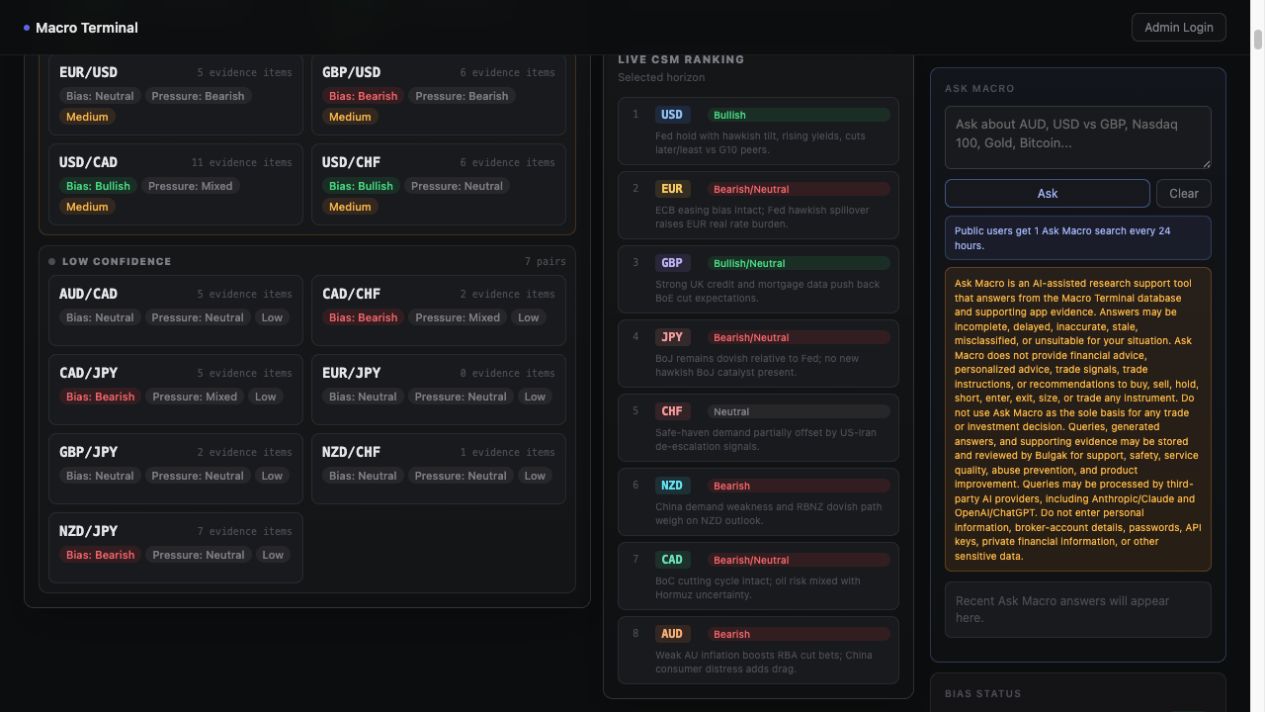
Bulgak Macro Terminal showing FX pair confidence lanes, the Live CSM currency ranking, and Ask Macro
The ranking is relative and horizon-specific; it can change when enough new evidence justifies a different macro map.

04 · Evidence

Trace the Evidence Behind the View

The Evidence Feed organizes the information used for research context. Use its tabs to separate data releases, filtered news, China Watch, the Bias Journal, and higher-impact items.

  • Data cards compare released figures with available expectations and prior readings.
  • News cards summarize the policy-path or market impact in plain language.
  • China Watch mainly conditions AUD, NZD, CAD, commodities, and broader risk tone.
  • Archive Search retrieves stored stories without using an Ask Macro search.

Evidence quantity alone does not establish a reliable view. Relevance, freshness, source quality, direction, and agreement matter more than the raw number of cards.
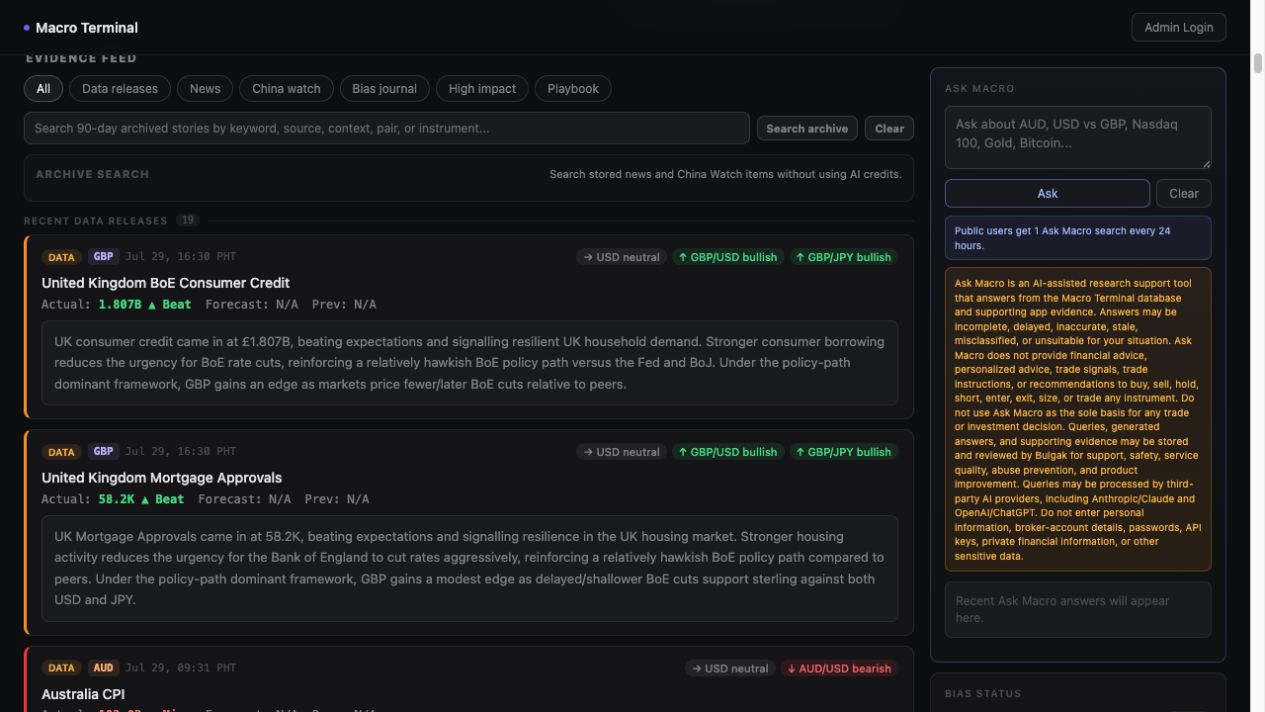
Bulgak Macro Terminal evidence feed with data, news, China Watch, Bias Journal, High impact, Playbook, and archive search controls
Evidence Feed example from the public app. Headlines, data, and directional labels update over time.

05 · Ask Macro

Ask Focused Questions About Available Evidence

Ask Macro is an AI-assisted research tool that answers from available Macro Terminal database evidence and supporting app context. Include the intended horizon whenever it matters.

Example questions

  1. What is the current Nasdaq 100 swing bias for the next several days, and which drivers support it?
  2. Why does the USD appear stronger across the board today? Which currency pairs and drivers support that view?
  3. What is driving Gold’s intraday pressure today?
  4. Do Bitcoin’s Intraday, Swing, and Position views currently agree?
  5. Which FX pairs currently have the clearest alignment between bias and fresh pressure?

Ask Macro does not have a live tick chart unless price information appears in the available evidence. It summarizes the app’s evidence; it does not guarantee a forecast.
Ask Macro public sidebar with a question box, Ask button, usage note, and research disclosure
Public Ask Macro sidebar. Public usage limits may apply.

Research boundary

Use Bulgak as Evidence Support, Not as an Entry Command

The terminal does not provide personalized advice, brokerage services, execution, or instructions to enter or exit a trade. Combine its macro view with your own chart work, session timing, risk management, and independent judgment.

Ask Macro answers and app outputs may be incomplete, delayed, inaccurate, stale, or later invalidated. Never enter passwords, API keys, broker-account details, private financial information, or other sensitive data.